
I remembered reading about a technique a few months ago that I was interested in trying out,
I added it to my bookmarks, which is sort of equivalent to the land of the lost.
I'm sure your bookmarks page is overflowing with miscellaneous sites or ideas found while surfing the world wide web.
Sometimes I get so deep into it that I can't even remember what got me started on a search in the first place!
Anyhow, since a lot of people have inquired about tutorials and techniques I have used (since I'm new to photoshop), I figured that I would beat you to the punch and share this effect.

*My favorite of the three*
The shot below is SOC, straight-out-of-the-camera.
The above shot was one I just tweaked using filters and your normal adjustments in photoshop.
I quite like the way it turned out.
The extra contrast gave it a dark purple color, which I think in turn added a little more depth to the flower.
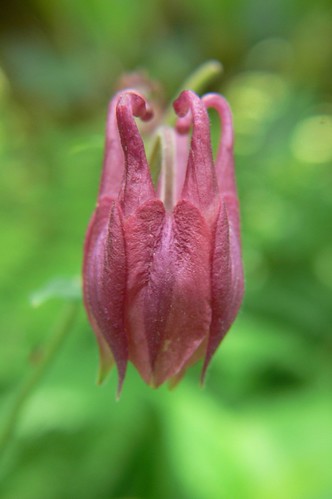
*The SOC shot*
The SOC shot is not entirely dull,
but I felt like it was lacking something to give it a little more pizazz.
(yeah, I used the word pizazz!)
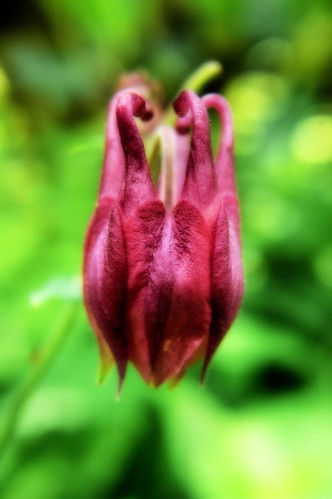
*With the Orton Effect*
The photo above is a result of the "Orton Effect", which is easy enough for anyone to do.
My monitor here at work is not portraying the photo as it did on my laptop,
the colors seem a bit off, and a little too bright (this monitor may need some calibrating).
But I liked the effect last night....
This sort of effect won't look good with all shots, but if you would like to give it a try
here is the link to the place where I found a quick photo tutorial.
Let me know what you think, if you use the effect and post a photo, I would love to see :o)


